How to Create a Monthly Financial Report: A Step-by-Step Guide for FP&A Teams

Monthly financial reports are how finance teams translate the close process into decisions. Done well, they arrive quickly, present actuals against plan, explain the variances that matter, update the forward view, and tell the reader what to do next. Done poorly, they arrive late, present numbers without context, and consume more of the finance team’s time than the analysis is worth.
Read: Financial Consolidation: Definition, Challenges & Solutions
This guide covers what to include in a monthly financial report, how to structure it for different audiences, the seven-step process for creating one, close timeline benchmarks, and the most common mistakes to avoid.
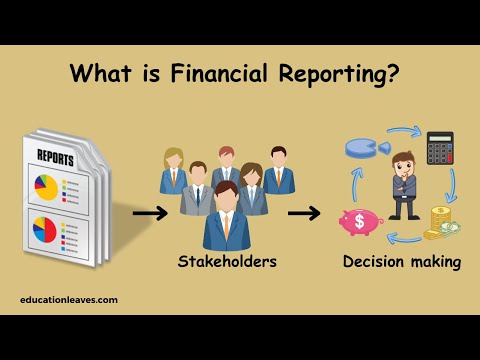
Why Monthly Financial Reporting Matters
Monthly financial reports are the primary mechanism through which management monitors whether the business is on track. They provide the cadence that separates reactive fire-fighting from proactive course correction. A business that reviews performance monthly has 12 opportunities per year to identify problems and adjust. A business that reviews quarterly has four.
The three questions a monthly financial report should answer: How did we perform against plan last month? Why did we miss or beat on the items that matter? And what does the full-year look like given what we now know? A report that answers all three is genuinely useful. A report that only answers the first is historical documentation.
For a retail chain, monthly reports reveal inventory position by location before over-stocking or stock-out situations affect sales. For an FMCG business, they show whether promotional spend is delivering the margin improvement modelled in the plan. For any multi-entity group, they provide the first consolidated view of how the business actually performed.
What to Include in a Monthly Financial Report
A monthly financial report is a package of components, each answering a different question. The components and their depth depend on the audience, but the core seven are standard.
1. Income Statement (P&L)
Revenue, cost of goods sold, gross profit, operating expenses by category, EBIT, and net income for the current month. At minimum, show three columns: actual, budget, and variance. A fourth column showing prior year or prior month adds trend context. For management reporting, include year-to-date figures alongside the monthly view. Every line should show the variance in absolute and percentage terms.
2. Balance Sheet
Assets, liabilities, and equity at month-end with prior month comparison. Key items to call out: cash and short-term investments, trade receivables, inventory, accounts payable, and any material changes in debt or equity. Month-on-month movement in the balance sheet tells the story of working capital consumption or release that does not appear in the P&L.
3. Cash Flow Statement
For management reporting, use the cash flow format that best supports decision-making. A direct view shows major cash receipts and payments clearly, while an indirect view helps explain how profit converts into operating cash flow. Cash received from customers, cash paid to suppliers and employees, net operating cash flow, investing outflows (capital expenditure), financing flows (debt service and dividends), and the closing cash position. The key number is the change in cash from opening to closing position and how it compares to plan.
4. Budget vs Actual (BvA)
The bridge between what was planned and what happened. Every material line item with the variance in both absolute and percentage terms. Variances below the agreed materiality threshold need no explanation. Variances above it require a root cause and an action. The BvA is not the report. It is the input to the commentary that makes the report valuable.
5. Rolling Forecast Update
Where do the full-year numbers land give the month’s actuals? This is what converts the BvA from a look-back into a forward view. Where the business operates a monthly rolling forecast, update it for actual performance and revised assumptions. Otherwise, use the monthly report to identify whether an out-of-cycle forecast update is required. A monthly report that does not include the updated full-year forecast is only telling half the story.
6. KPI Dashboard
Five to eight agreed leading indicators that signal where the business is heading before the P&L shows it. Typical examples include DSO trend (an early-warning indicator of collection and liquidity pressure, gross margin by product or channel, headcount versus plan, and pipeline coverage ratio for forward revenue confidence. Agree on the KPI set at the start of the year and measure consistently every month.
7. Variance Commentary
The written explanation that converts numbers into narrative. For each material variance, three sentences: what happened, why it happened, and what is being done about it. This is the section most frequently missing from monthly reports and most urgently needed by management. A P&L that shows revenue down 8% against plan with no explanation forces the reader to guess. The commentary removes the guesswork.
Board Pack vs Management Pack
The most common monthly reporting mistake is sending the management pack to the board. Board members are not operational managers. A 30-page pack with line-by-line cost centre variance analysis will not be read. The board needs the headline, the context, the forward view, and the two or three decisions that require their attention.
| Board Pack | Management Pack | |
| Audience | Non-executive directors, investors | CFO, COO, department heads |
| Length | 5-8 pages maximum | 15-30 pages depending on complexity |
| Tone | Strategic, directional | Operational, detailed |
| Focus | Are we on track? What decisions are needed? | Why did this happen? What is the action? |
| P&L detail | Revenue, EBITDA, cash versus plan | Full P&L by cost centre with all variances |
| Forward view | Full-year forecast versus plan | Rolling 12-month forecast with scenario view |
| Variance commentary | Top 3-5 material items only | All items above materiality threshold |
| KPIs | 5-8 strategic indicators | 15-20 operational and financial metrics |
| Delivery timing | 5-7 days before board meeting | Day 8-12 after month-end |
The right approach is to build one underlying data model and create two output views: a board-configured pack that surfaces the strategic headline, and a management-configured pack that provides the operational detail. The same numbers, structured for different decisions.
The Close Timeline: When Should the Report Be Ready?
The speed of the monthly close determines the usefulness of the report. A report delivered on day 30 is history. A report delivered on day 8 is decision-support.
Close timelines vary by business complexity, industry, entity structure and reporting requirements. As an illustrative maturity framework.
| Close Speed | Illustrative close maturity ranges | Typical characteristics | Assessment | |
| 1 | World-class | Days 3-5 | HT (via Farseer) closed a 10-day process in under 2 days | Genuinely actionable; course correction in same month |
| 2 | Strong | Days 6-10 | Most FP&A platform users; automated consolidation teams | Management pack ready before mid-month |
| 3 | Average | Days 11-20 | Most Excel-based finance teams | Acceptable; too late for same-month intervention |
| 4 | Slow | Day 20+ | Manual multi-entity consolidation environments | Historical documentation; limited operational value |
Note: These ranges are illustrative. Actual close timelines vary by organisation, reporting requirements and complexity.
The factors that determine close speed are data collection (automated ERP extraction versus manual spreadsheet assembly), consolidation (single chart of accounts versus entity-by-entity reconciliation), and the volume of manual accruals and adjustments required before the numbers are clean. Reducing these bottlenecks can materially shorten the close and move the organisation toward a faster, more controlled reporting cycle.
How to Create a Monthly Financial Report in 7 Steps
Step 1: Define your reporting goals
Before assembling any data, clarify what the report must achieve. What decisions will it inform? Which stakeholders will read it, and what is their role? Are they focused on revenue versus forecast, cost centre performance, cash position, or regulatory compliance? Different audiences need different outputs from the same underlying data.
For management, the primary question is usually: are we on track, and what do we need to adjust? For the board, it is: is the business performing as the strategy requires? For an investor, it is: are our returns assumptions holding? Getting this clarity before building the report prevents the most common mistake: a single report trying to serve all three audiences and succeeding for none of them.
Document the agreed reporting goals and KPI set at the start of each year. When the format is agreed in advance, the monthly production process becomes a structured fill-in rather than a negotiation.
Step 2: Collect and consolidate data
Accurate financial reports require clean, complete, and consistent data from multiple sources: ERP, CRM, HR systems, and subsidiary ledgers. The most time-consuming part of the reporting process for most finance teams is this step, not the analysis.
For businesses with multiple entities, data consolidation adds an additional layer: intercompany eliminations, currency translation, and chart of accounts alignment must all be completed before a single consolidated line can be reported. This step alone takes 5-10 days in manual Excel-based environments and drives most of the close timeline delays.
Automating data collection does not just save time. It also removes the category of errors that come from manual entry, outdated links, and version control failures. When actuals flow directly from the ERP into the reporting model, the finance team can start analysis on day one instead of day five.
For businesses with multiple subsidiaries or entities, Farseer connects directly to ERP systems and automates data consolidation. Instead of manually pulling inputs from different teams and reconciling intercompany balances, actuals arrive in the model automatically. The HT case study shows what this means in practice: a consolidation process that took over a week was reduced to hours, and the full financial reporting pack was ready in under two days.
Step 3: Establish a reporting framework
A consistent reporting framework is the foundation of meaningful trend analysis. If the report format changes each month, the reader cannot compare periods, cannot track trends, and cannot build intuition for what the numbers mean.
Standardise: the report structure (same sections in the same order every month); the KPI definitions (gross margin calculated the same way every month); the materiality threshold (the same variance threshold that triggers commentary); and the comparison periods (current month vs budget, current month vs prior year, year-to-date vs budget).
For FMCG businesses, this typically means aligning KPIs like inventory turnover, gross margin by category, and promotional return on investment across departments so every function is measured against the same definitions. The framework should be agreed with stakeholders before the first report is produced, not evolved through monthly disagreements over what the numbers mean.
Step 4: Use automation to maintain accuracy
Manual processes in financial reporting create two problems: they take time that should be spent on analysis, and they introduce errors that undermine the credibility of the output. Automation addresses both.
At minimum, automate: data extraction from ERP to reporting model; variance calculations that feed the BvA; and the standard report population from the model to the output format. At the more advanced level, automate intercompany eliminations, currency translation, the loading of actuals into the forecast model, and the recalculation of forecast outputs based on approved assumptions.
The measure of good automation is not how sophisticated the technology is. It is measured by how much time the finance team spends on analysis versus data preparation. A team spending 80% of close time on data and 20% on analysis is not yet getting the value from the reporting process. Automation should invert that ratio.
Step 5: Analyze the results
This is where the monthly report earns its value. The data is clean, the pack is populated. Now the finance team must explain what the numbers mean and what should happen next.
Start with variance analysis: identify every line where actual performance differs from plan by more than the agreed materiality threshold. For each material variance, determine the root cause: is it volume (we sold fewer units than planned), price (we achieved a lower price per unit than planned), mix (the product or channel mix shifted), or timing (revenue or cost landed in a different period than planned)?
Then ask the forward question: given what we now know, what does the rest of the year look like? A 5% January revenue miss caused by a recurring demand or pricing issue may imply a full-year shortfall. A timing-related miss that is expected to recover in February may not. A one-off cost overrun in January with no recurring driver does not. Getting this distinction right is the difference between a finance team that informs decisions and one that reports events.

Step 6: Visualize your findings
Financial data is most useful when it communicates without requiring the reader to interpret raw numbers. Charts show trends more clearly than tables. Colour coding (red/amber/green on KPIs) directs attention to what matters. A well-designed one-page executive summary lets a busy board member understand the month in 60 seconds.
Principles for effective financial visualisation: use charts for trends (12-month trailing charts show patterns that a single-month comparison misses); use tables for detail (variance analysis by line item is easier to read in tabular format); keep colour coding consistent and minimal (red for adverse performance versus target, green for favourable performance, and amber for within an agreed warning range); and design for the reader’s question, not the analyst’s preference.
Financial data is most useful when it is visible to the right person without requiring a request to finance. Farseer’s Dashboard solution turns the monthly financial report into a live, accessible view. P&L, balance sheet, cash position, and KPIs update in real time as actuals arrive from the ERP. Charts with plan versus actual overlays, period comparisons, and drill-down capability allow any stakeholder to move from the headline to the detail without a second conversation. Board members see a strategic summary configured for their level. Department heads see the operational detail for their cost centres. The same underlying model, different configured views.
Step 7: Share and continuously improve
Distribute the report through a channel that maintains version control, tracks whether it has been read, and prevents outdated versions from circulating. Cloud-based platforms and shared dashboards solve this more reliably than email attachments.
Time the distribution to match the decision cycle. The management pack should arrive before the monthly review meeting, not at it. The board pack should arrive 5-7 days before the board meeting, with an invitation to submit questions in advance. A pack that arrives 30 minutes before the meeting is a data dump, not decision-support.
Build a feedback loop into the reporting cycle. After each monthly review, ask two questions: what in the report drove a decision that would not otherwise have been made? And what took time to explain that the format should present more clearly next month? The best monthly reporting processes improve continuously not because someone redesigned the template once, but because every cycle identifies one small thing to make it better.
Common Monthly Reporting Mistakes
Sending numbers without commentary. A variance analysis that shows revenue down 8% versus plan with no explanation forces the reader to guess the reason. Every material variance needs a root cause in one sentence and an action in one sentence. A report without commentary is data, not insight.
Reporting on too many KPIs. A dashboard with 40 metrics has no signal. If everything is highlighted, nothing is. Agree on five to eight KPIs per audience before the reporting year starts, define what good looks like for each, and measure them consistently. Adding metrics mid-year to explain a bad result is a credibility problem.
Sending the same report to every audience. The board does not need the cost centre breakdown. The operations team does not need the equity movements. One report format for everyone satisfies no one. Build one model and configure two output views: the board summary and the management detail.
Reporting the month without updating the forecast. A monthly report that shows what happened without revising what will happen next is incomplete. The most important output of the monthly process is the updated full-year forecast. If the report only covers the past, it is historical documentation rather than a management tool.
Missing the close calendar. A report that arrives late because the close ran over signals a process problem. Set a fixed monthly close calendar: day 2 ERP extraction, day 3 intercompany reconciliation, day 5 accruals posted, day 7 P&L and balance sheet reviewed, day 8 management pack distributed. Treat the calendar as a commitment, not a target.
Conclusion
Effective monthly financial reporting is a discipline, not an event. It requires a consistent framework, clean automated data, disciplined analysis, and outputs calibrated to the audience. When all of these are in place, the report arrives quickly, explains what matters, and drives decisions. When any of them are missing, the report arrives late, creates more questions than it answers, and consumes the finance team’s time without generating equivalent value.
The seven steps in this guide address the process. The content standards ensure the report contains what readers actually need. The close timeline benchmarks set the ambition. And the distinction between board pack and management pack ensures the right information reaches the right people in the right format.
The monthly financial report is the output of the entire close and planning process. Its quality reflects the data quality, automation level, and process discipline behind it. A report built from an automatically reconciled, ERP-connected model will be faster, cleaner, and more analytically rich than one assembled from spreadsheet extracts and manual adjustments. Farseer connects the close process, the management pack, and the forward-looking forecast in a single platform: actuals flow in from the ERP, variance analysis updates automatically, the rolling forecast reflects the latest performance, and the management pack is ready for distribution without a manual rebuild.
FAQ
Why is monthly financial reporting important?
Monthly financial reporting gives management 12 annual checkpoints to monitor performance against plan, identify variances before they compound, and update the forward view. Quarterly reporting gives four. Monthly cadence is the difference between reactive crisis management and proactive course correction.
What should be included in a monthly financial report?
The seven core components are: income statement (P&L) with budget variance; balance sheet with month-on-month movement; cash flow statement; budget vs actual analysis for all material lines; rolling forecast update; KPI dashboard (five to eight agreed metrics); and variance commentary explaining the root cause and action for each material variance.
What is the difference between a board pack and a management pack?
Board packs are five to eight pages, strategic in tone, covering revenue, EBITDA, cash, and the full-year forecast, with commentary on the three to five most material items. Management packs are 15 to 30 pages, operational in detail, covering the full P&L by cost centre, all material variances, rolling forecast, and KPIs across all functions. Both draw from the same underlying data but are configured for different decisions.
How long should the monthly close take?
Close timelines vary by business complexity, industry and reporting requirements. As an illustrative maturity range, highly automated finance teams may close within three to five business days, while six to ten days represents a strong target for many organisations. More manual or complex environments can take considerably longer.
What are the most common monthly reporting mistakes?
Five most common: sending numbers without variance commentary; tracking too many KPIs so no single metric gets attention; sending the same report to all audiences regardless of their role; reporting the month without updating the full-year forecast; and missing the close calendar so reports arrive too late to influence decisions.
How can businesses simplify the monthly reporting process?
Three levers: automate data collection so actuals flow from the ERP into the reporting model without manual extraction; standardise the reporting framework so the format is consistent every month and comparison across periods is immediate; and implement an FP&A platform that connects the close, the variance analysis, and the forward forecast in a single model, eliminating the manual assembly that consumes close time.

FAQ
Why is monthly financial reporting important for businesses?
Monthly financial reporting helps businesses monitor cash flow, track budgets, measure financial performance, and make informed strategic decisions. It provides timely insights that help companies identify issues early and stay aligned with business goals.
What should be included in a monthly financial report?
A monthly financial report typically includes profit and loss statements, balance sheets, cash flow statements, budget vs. actual comparisons, KPI tracking, and variance analysis to give stakeholders a complete overview of financial performance.
How can companies simplify the monthly reporting process?
Businesses can simplify reporting by automating data collection, centralizing financial data, using standardized reporting frameworks, and implementing FP&A software that reduces manual work and improves accuracy.
What are the biggest challenges in monthly financial reporting?
Common challenges include manual data entry, inconsistent data sources, reporting delays, lack of real-time visibility, and difficulty consolidating data across departments or subsidiaries.
How do dashboards and visualization tools improve financial reporting?
Dashboards and visualization tools make financial data easier to understand by turning complex numbers into charts, graphs, and interactive reports. This helps stakeholders quickly identify trends, performance gaps, and actionable insights.

Financial Statement Analysis: The Complete Guide (With Step-by-Step Process)
Read more
Best Financial Analysis Tools in 2026: Compare Features & Pricing
Read more