7 Best Ad Hoc Reporting Tools for Finance Teams

Ad hoc reporting tools make it easier to answer questions that fall outside your standard reporting cycle. You can pull the data you need, look at it from different angles, and build a report around the question at hand.
For finance teams this usually means comparing real results with budgets or forecasts, looking at the differences, or analysing the results by company, department, product, customer, or other categories.
Read more: What Great Financial Reporting and Analytics Actually Look Like
Different tools carry out this task in their own manner, with some concentrating on business intelligence and data visualization and others combining reporting with planning, forecasting, and financial modelling.
The guide looks at the seven best ad hoc reporting tools, points out their advantages, and explains in which situations each tool is most suitable.
Best Ad Hoc Reporting Tools At A Glance
Business intelligence platforms are primarily used for exploring and visualizing data, while FP&A platforms connect reporting with budgeting, forecasting, and financial modeling. Spreadsheets provide greater flexibility when carrying out one-off analyses.
Here are the seven tools covered in this guide:
| Tool | Best for | Type | |
| 1 | Farseer | Ad hoc financial reporting connected with planning and forecasting | FP&A |
| 2 | Microsoft Power BI | Interactive reporting in the Microsoft ecosystem | BI |
| 3 | Tableau | Visual data analysis and reporting | BI |
| 4 | Qlik Sense | Exploring data across multiple dimensions | BI |
| 5 | Jedox | Enterprise planning and reporting | FP&A |
| 6 | Vena | Finance teams that want to keep working in Excel | FP&A |
| 7 | Microsoft Excel | Flexible one-off financial analysis | Spreadsheet |
The key distinction lies in what occurs once you’ve located something in a report: business intelligence tools enable you to explore and visualise the results, whereas FP&A tools link your analysis to budgets, forecasts, financial models, and scenarios.
It is important to bear this difference in mind when ad hoc reporting is included in a wider planning and performance management process.
Farseer: best for ad hoc reporting connected to planning and forecasting
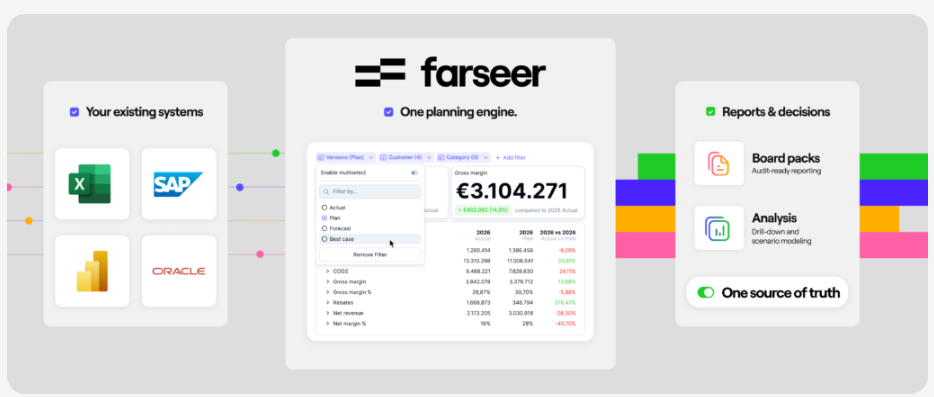
Farseer is an FP&A platform that combines financial planning, forecasting, reporting, and analysis. It brings financial and operational data into one model, allowing teams to work with actuals, budgets, and forecasts in the same place.
Users can build reports and dashboards, change dimensions, and go into the figures that underlie a given result. They can move from a view at the company level to more detailed information by entity, department, product, customer, cost centre, or another business dimension.
The platform also links the process of reporting directly to planning and forecasting, so that when an analysis leads to further questions, users can see how the same drivers affect the forecast or the other sections of the financial model.
Farseer AI includes natural language analysis as part of this process, allowing users to pose questions regarding their data and then ask further questions as they look into the results; this provides teams with an additional method of dealing with ad hoc requests without having to create a new report for each question.
Key features
- Ad hoc financial reports and dashboards
- Actual vs. budget vs. forecast analysis
- Drill-down into financial data
- Multidimensional analysis
- Natural language analysis with Farseer AI
- Financial and operational data in one model
- Reporting connected with planning and forecasting
- ERP and other business system integrations
- Centralized financial models and calculations
- Role-based access
Limitations
The platform is more suitable for teams that already have in place planning and reporting procedures; smaller teams whose requirements are simple may find that spreadsheets or basic reporting tools are sufficient.
Best for
Companies of medium size and larger ones which have complicated financial reporting and planning procedures, such as those that analyse performance across various entities, departments, products, markets, or other business areas.
It is also suitable for companies which already make use of ERP and BI systems but would like to incorporate actuals, plans, forecasts, and operational drivers into a single FP&A model.
Microsoft Power BI: best for interactive BI reporting
Microsoft Power BI is a business intelligence platform which is used for interactive reports, dashboards, and data analysis, allowing users to filter the results, drill down into details, change the way in which the report is viewed, and explore the data along different dimensions.
Because of its integration with Excel, users are able to analyze Power BI data within a spreadsheet environment that is familiar to them. Copilot includes AI features which allow reports to be summarized and data to be interacted with using natural language.
Key features
- Interactive reports and dashboards
- Filters, slicers, and drill-down
- Self-service data analysis
- Analyze in Excel
- Copilot and natural language queries
- Broad data connectivity
Limitations
- The emphasis is on business intelligence rather than on financial planning, forecasting, or scenario modelling.
- The need for advanced reporting involves having a knowledge of data modeling and DAX.
Best for
Companies which would like interactive reporting and data visualisation, especially those who are already using the Microsoft ecosystem.
Tableau: best for visual data exploration
Tableau is a platform concerned with business intelligence and visual analytics; its main strength is in converting large datasets into interactive visualisations which can be explored by users from various angles.
Users are able to filter reports, investigate trends, and navigate between different levels of detail. The Tableau Agent includes AI assistance for data exploration and visualization.
Key features
- Interactive dashboards
- Strong data visualization
- Filtering and drill-down
- Self-service data exploration
- Broad data connectivity
- AI-assisted analysis
Limitations
- This tool is not primarily concerned with budgeting, forecasting, and financial planning.
- Building advanced dashboards and data models may require experienced Tableau users.
Best for
Those companies which place a high importance on visual analysis and for whom it is desired that users explore financial and operational data via interactive dashboards.
Qlik Sense: best for flexible data exploration
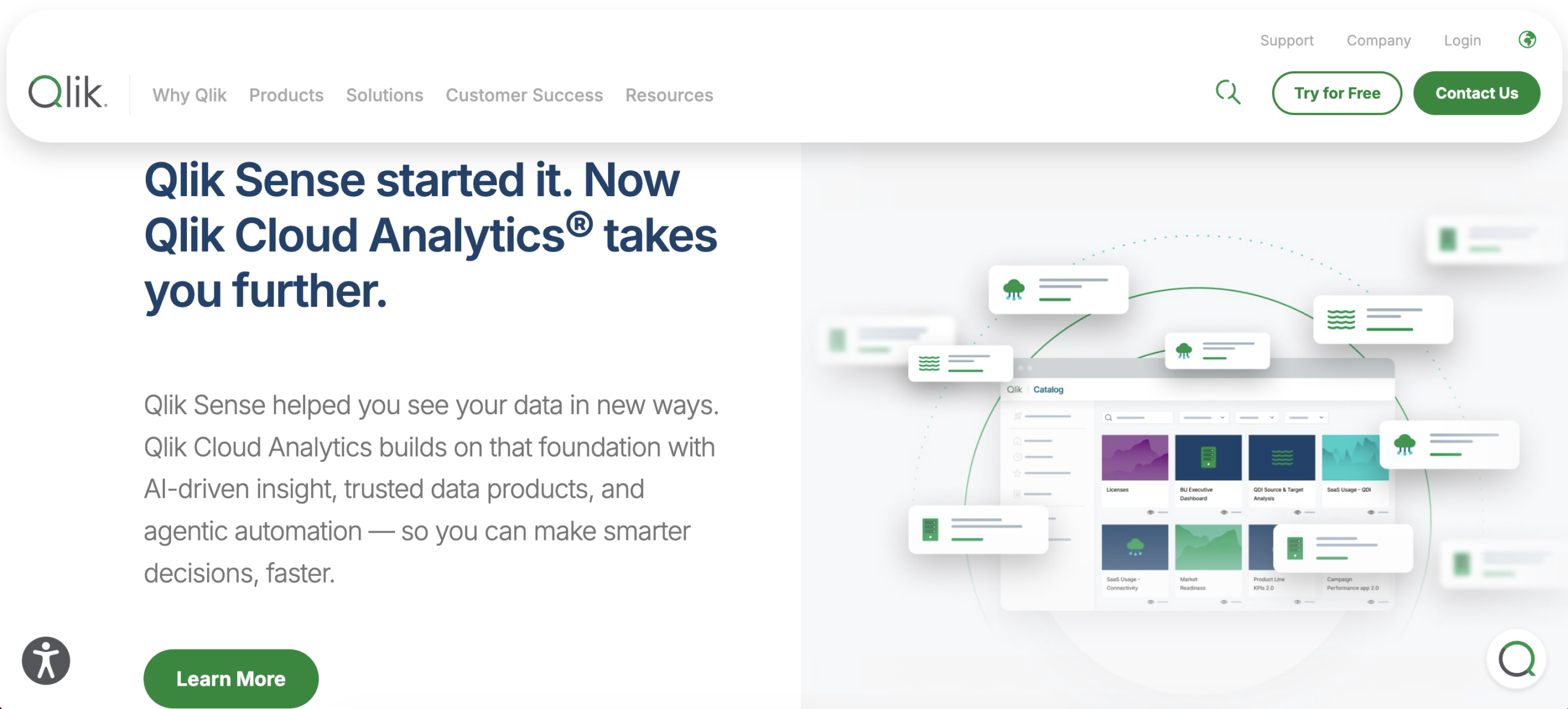
Qlik Sense is a business intelligence platform which is based on associative analytics; rather than forcing users to follow a predetermined route for reporting, it enables them to investigate the relationships between different data points and observe the effect that various selections have on the results.
This method is suitable for carrying out ad hoc analysis over a number of dimensions and data sources, and Qlik includes features that use AI to help users interact with and analyze the data.
Key features
- Associative data exploration
- Interactive dashboards
- Flexible filters and selections
- Self-service analytics
- AI-assisted analysis
- Multiple data source connections
Limitations
- The platform is intended for use in the field of analytics, not for budgeting or forecasting.
- Carrying out work with complex data models might require specialized skills.
Best for
Companies wish for users to examine the relationships among large financial and operational datasets without depending solely on predefined reporting paths.
Jedox: best for enterprise planning and reporting
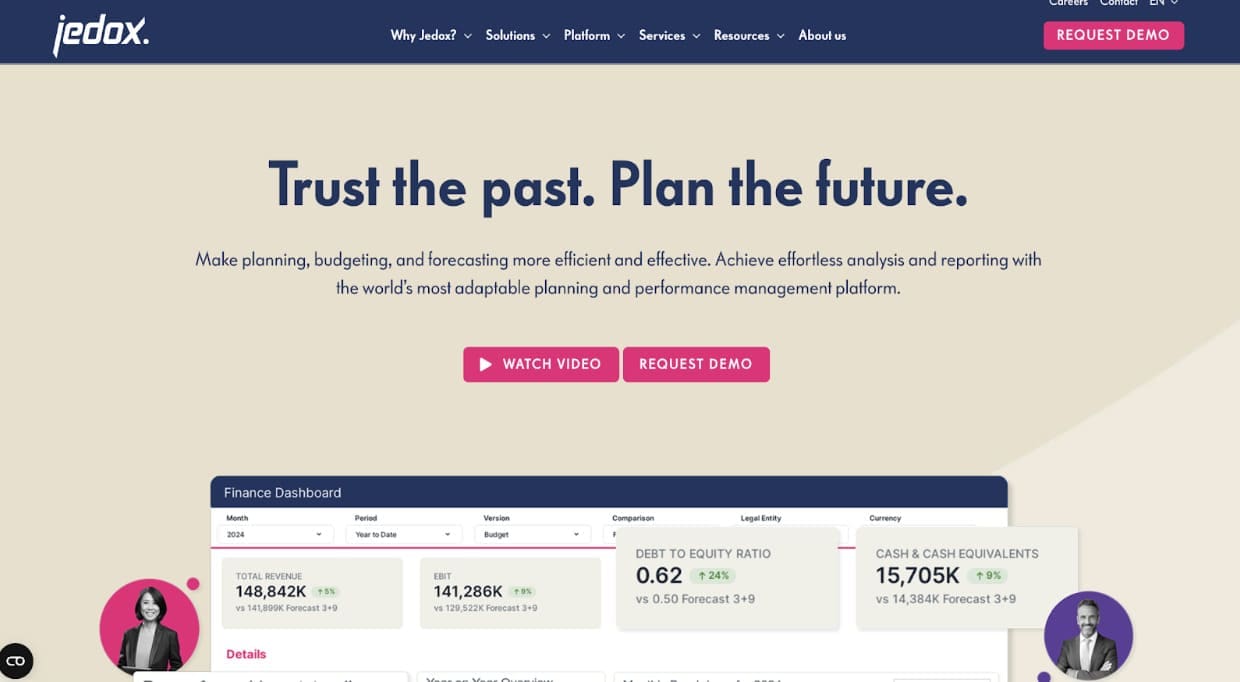
Jedox is a platform used for financial planning and analysis which integrates reporting with budgeting, forecasting, and planning; it allows users to analyse multidimensional financial data via web-based reports or through Excel.
Ad hoc analysis may involve comparisons between actual and planned figures, detailed examinations, and various displays of the same financial data; since reporting and planning make use of the same environment, the analysis can be linked to the wider FP&A process.
Key features
- Ad hoc and management reporting
- Actual vs. plan analysis
- Multidimensional analysis
- Drill-down
- Excel integration
- Budgeting and forecasting
Limitations
- Firms which have only reporting requirements may not need all the features offered by FP&A.
- More complex setups may need specialist knowledge and model configuration.
Best for
Companies of medium size and larger ones who want financial reporting, budgeting, and forecasting all to be carried out on the same FP&A platform.
Vena: best for Excel-based financial reporting
Vena integrates its FP&A capabilities with an Excel-based interface, so that teams can work with centralised financial data while at the same time creating and analysing reports using the familiar spreadsheet features.
Users have the option of importing data into Excel, analysing the variances, altering the reporting dimensions, and working with the actual figures, budgets, and forecasts.
Key features
- Excel-based reporting
- Ad hoc financial analysis
- Actual vs. budget and forecast reporting
- Drill-down capabilities
- Centralized financial data
- Budgeting and forecasting
Limitations
- Since the tool focuses on Excel, it might not be suitable for companies that are aiming to move away from spreadsheets.
- In addition to Excel, users will have to learn the features that are specific to Vena.
Best for
For finance teams who wish to continue using Excel as their main reporting interface while at the same time incorporating centralized data, planning, and forecasting.
Microsoft Excel: best for flexible one-off analysis
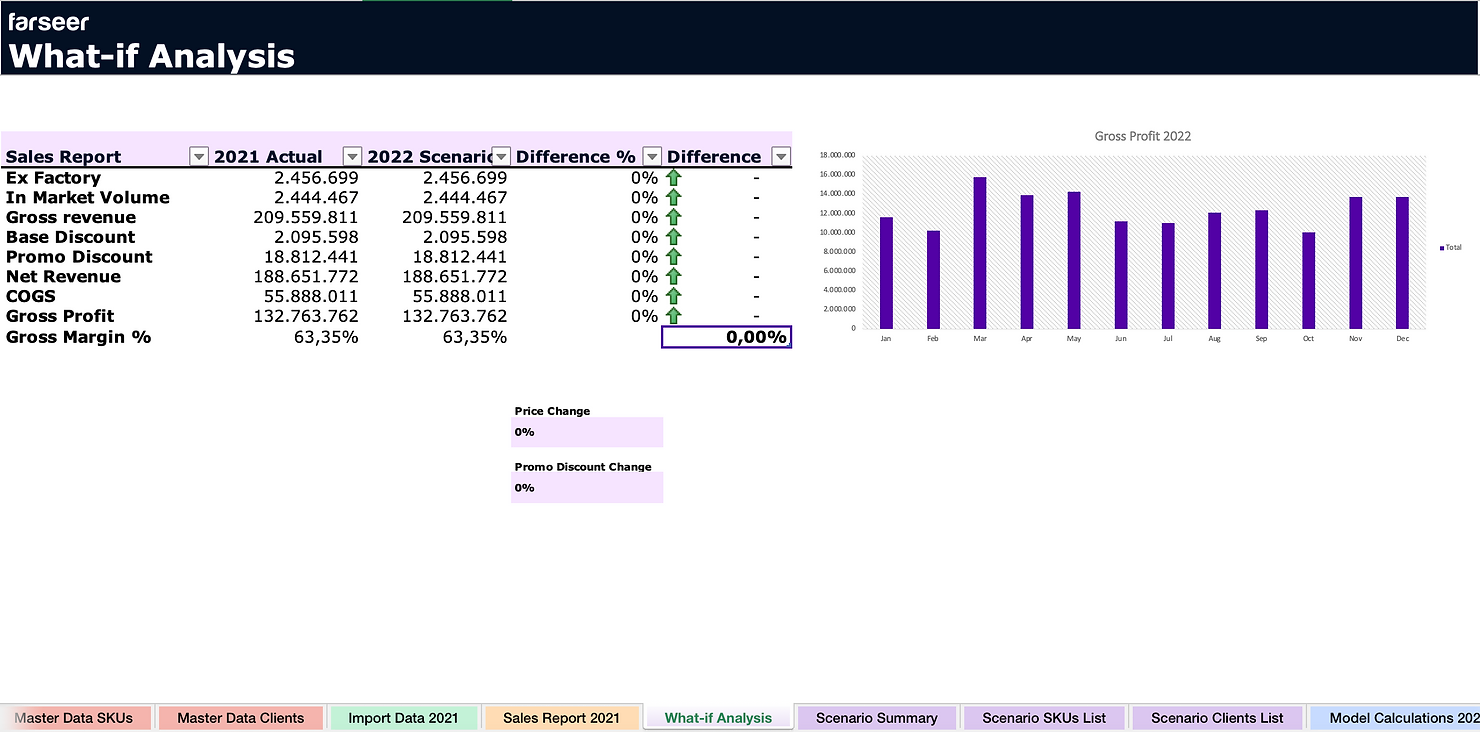
Microsoft Excel is still a practical choice when it comes to preparing ad hoc reports, since users retain direct control over formulas, PivotTables, charts, calculations, and the way the reports are laid out.
Power Query also assists users with importing, cleaning, and transforming their data before it is analysed; its familiar interface means that Excel becomes a useful tool when teams need to carry out a particular type of analysis quickly.
Key features
- Flexible report creation
- PivotTables and PivotCharts
- Power Query
- Financial formulas
- Custom calculations
- Broad data compatibility
Limitations
- The more they report, the harder it becomes to manage files, versions, and data.
- You might need to do more work to prepare data when you combine actuals, budgets, and forecasts.
- The complexity of the reporting procedures can result in them relying on the individuals who own the spreadsheets.
Best for
Teams that have relatively simple reporting needs or those users who need flexible one-off analysis in addition to the BI or FP&A tools they already have.
BI vs. FP&A Tools For Ad Hoc Reporting
Both the BI and FP&A tools offer ad hoc reporting, but they are intended to meet different needs.
Tools such as Power BI, Tableau, and Qlik Sense are concerned with the analysis and visual representation of data; they are suitable for exploring results, for comparing different dimensions, for identifying trends, and for investigating the various factors underlying a KPI.
FP&A platforms such as Farseer, Jedox, and Vena connect reporting with financial planning, allowing users to analyse actual results together with budgets and forecasts and then use these findings as part of the planning process. The kind of reporting you need will assist you in deciding which type of tool is most appropriate. If your primary aim is to examine historical and operational data, then a business intelligence platform is a good option.
If your reporting often connects with budgets, forecasts, scenarios, and financial models, an FP&A platform keeps everything in one place.
Excel is different since it allows both analysis and planning and is therefore very flexible. On the other hand, specialised BI and FP&A platforms provide more structure if you have large datasets, a greater number of users, or regular reporting requirements.
How to Choose An Ad Hoc Reporting Tool
Start with the questions your team needs to answer, not merely on a list of software features; the appropriate tool should provide users with access to the right data and allow them to analyse it in various ways.
Focus on these areas when comparing options:
- Data integration: Check whether the tool connects with your ERP, data warehouse, BI tools, spreadsheets, and other key data sources.
- Self-service reporting: Users should be able to create and adjust reports with limited support from IT.
- Drill-down: Check how easily users can move from a high-level KPI to the data behind it.
- Financial analysis: Look at how the platform handles actuals, budgets, forecasts, variances, and financial calculations.
- Performance: Test the platform with your real data volumes and reporting dimensions.
- Planning: Decide whether you only need to analyze results or also want to use the same data for budgeting, forecasting, and scenario planning.
- Ease of use: Check how quickly regular users can create reports and answer new questions.
When you attend a software demo, bring a real reporting request from your team and ask the vendor to build the analysis during the session.
This approach gives you a practical way to judge the product. You can see how quickly the tool turns raw data into answers, how much setup is needed, and whether your team could do it themselves.
Making Ad Hoc Reporting Work For Your Finance Team
Ad hoc reporting can be done in a BI tool, an FP&A platform, or a spreadsheet. The best choice depends on the questions you need to answer and what you plan to do with the results.
If reporting is closely connected with budgeting, forecasting, and financial modeling, Farseer brings these processes together with financial and operational data in one FP&A platform.
See how Farseer handles reporting, analysis, planning, and forecasting with your own FP&A process by booking a demo.

FAQ
What is ad hoc reporting in finance?
Ad hoc reporting answers questions that fall outside the standard reporting cycle. Instead of waiting for a scheduled report, finance teams pull the data they need, analyze it from different angles, and build a report around the specific question — like comparing actuals with budget or breaking results down by entity, product, or customer.
What is the best ad hoc reporting tool for finance teams?
It depends on what happens after the analysis. For reporting connected to budgets, forecasts, and financial models, FP&A platforms like Farseer are the most complete fit. For visual data exploration, BI tools like Power BI or Tableau work well. Excel remains practical for flexible one-off analysis with simple needs.
What is the difference between BI tools and FP&A platforms for reporting?
BI tools like Power BI, Tableau, and Qlik Sense focus on exploring and visualizing data — spotting trends and investigating KPIs. FP&A platforms like Farseer connect reporting with planning, so actuals, budgets, and forecasts live in one model and analysis feeds directly into the forecasting process. The right choice depends on what you do with the findings.
Is Excel good enough for ad hoc reporting?
For simple, one-off analysis, yes — PivotTables, Power Query, and full formula control make Excel genuinely flexible. It becomes a problem at scale: more reporting means more files, version confusion, manual data prep, and processes that depend on whoever owns the spreadsheet. That’s usually the signal to add a BI or FP&A tool.
Can ad hoc reporting be connected to budgeting and forecasting?
Yes — that’s the main advantage of FP&A platforms over standalone BI tools. When reporting and planning share one financial model, an analysis that raises follow-up questions can flow straight into the forecast: you see how the same drivers affect budgets, scenarios, and other parts of the model without exporting data.
How do you choose an ad hoc reporting tool?
Start with the questions your team needs to answer, not the feature list. Check data integration with your ERP and warehouse, self-service report creation, drill-down depth, financial analysis capabilities, and performance with your real data volumes. Best test: bring a genuine reporting request to the demo and have the vendor build it live.

What Great Financial Reporting and Analytics Actually Look Like
Read more
Ad Hoc Reporting for Finance Teams Who Can’t Wait on IT
Read more