Scenario Planning Software Compared: Top Tools for 2026

If you’re still building one plan and hoping for the best, you’re already behind.
This is where scenario planning software makes all the difference. It helps finance teams stop guessing and start modeling. You can test a new pricing move, a demand drop, or a regulation shift, and see the ripple effect through your P&L and cash flow in seconds. It’s what turns finance from “reporting the past” into “shaping the next move.”
In this guide, we’ll break down what scenario planning really means today and the best tools that help teams plan, react, and make sharper calls in 2026.
Read more: Scenario Planning: How to Prepare Your Business for Uncertainty
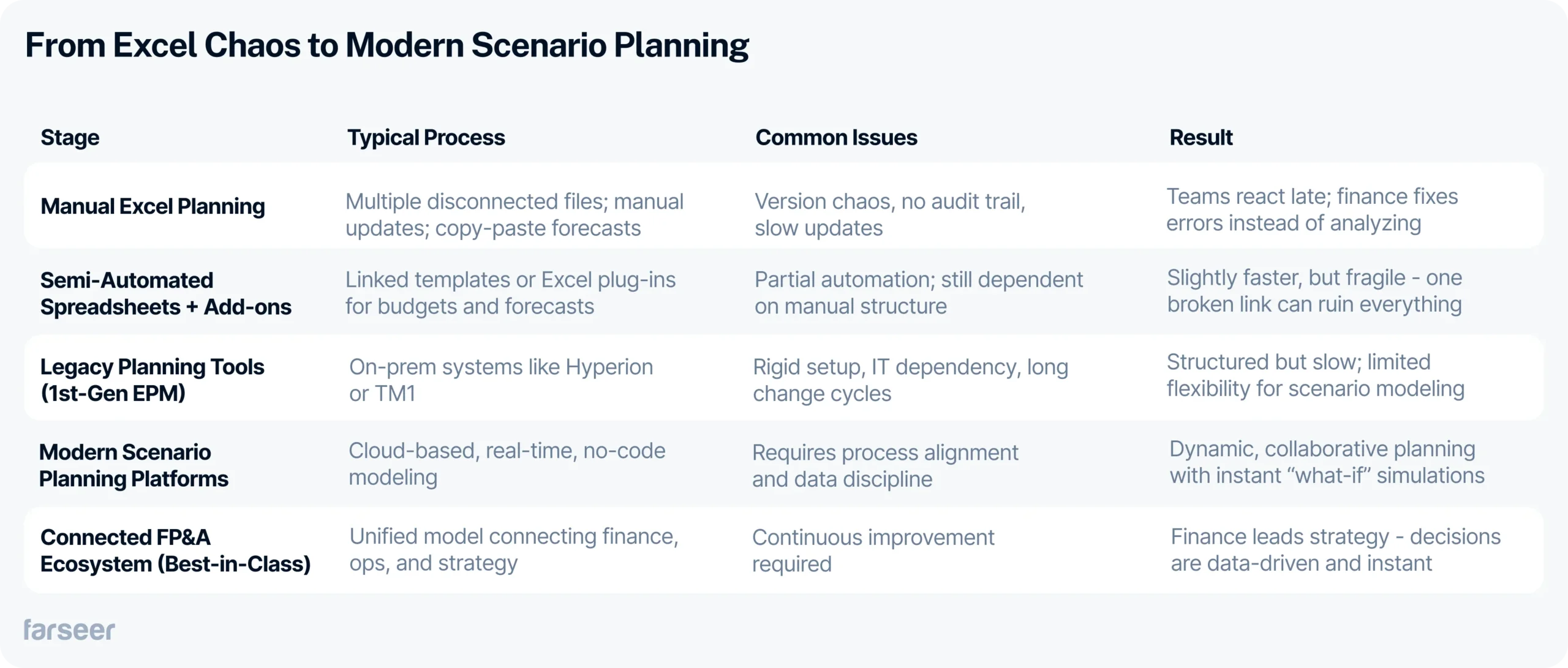
Why Excel Was Never Built as Scenario Planning Software
Excel will always have a place in finance but it was never built for dynamic, multi-scenario planning.
Spreadsheets are static by design. Each version lives in isolation, disconnected from shared assumptions or live data. When market conditions change, finance teams are forced to copy, paste, and rebuild models manually: breaking links and creating version chaos along the way.
There’s no real-time collaboration, no audit trail, and no single source of truth.
By the time every stakeholder has updated their sheet, the numbers are already outdated.
Instead of forecasting and analyzing outcomes, finance teams spend their time fixing formulas and reconciling files – exactly the opposite of what scenario planning should be about.
Read more: How to Ease Your Excel Reporting With Dynamic Menus
What to Look for in Scenario Planning Software
Modern scenario planning software goes beyond spreadsheets, it brings finance, operations, and leadership together around one shared model. When evaluating your next platform, here’s what really matters:
Centralized data model: All scenarios, budgets, and assumptions should live in one governed environment, ensuring a single source of truth and eliminating copy-paste chaos.
Real-time simulation: The ability to instantly test “what-if” assumptions is critical; when market conditions shift, finance needs to see the P&L impact immediately, not days later after rebuilding models.
Integrated planning: The right platform connects FP&A with HR, supply chain, and sales so every plan is aligned around shared drivers and business realities.
Collaboration and permissions: Scenario planning should be transparent but controlled; tools with workflows, versioning, and role-based access keep teams coordinated without compromising data integrity.
No-code flexibility: Finance teams should own their models, not wait for IT. Platforms with intuitive modeling and automation features empower users to build, test, and iterate directly.
Want to see scenario planning in a real industry context? Check out our "Financial Planning for Pharmaceutical Manufacturers".
Read moreTop Scenario Planning Software in 2026
Scenario planning is no longer reserved for enterprise strategy teams – it’s becoming a core capability of every modern finance function. The tools below represent the leading platforms helping companies move from static forecasting to real-time, data-driven decision-making.
Anaplan - enterprise modeling with complex architecture
Anaplan, one of scenario planning software is a cloud-based enterprise planning platform built for large organizations that require cross-functional modeling and strategic scenario planning. It’s known for its flexibility and massive scale, connecting finance, operations, and supply chain into one dynamic model.
Scenario Planning Depth
Extremely capable in multi-dimensional modeling. Users can simulate complex “what-if” situations across business units, products, or regions, and instantly see the financial impact. Its powerful modeling engine allows deep driver-based forecasts, but only after a steep setup and configuration process.
Ease of Use
While highly customizable, Anaplan isn’t easy to master. Model building requires technical expertise and ongoing governance. The interface can feel overwhelming for finance users without specialized training, and even small structural changes can take significant effort to implement.
Best For
Global enterprises with mature FP&A teams and dedicated model builders who can maintain large-scale data structures and workflows.
Limitations
Anaplan’s power often becomes its biggest drawback. Implementation projects can take months or even years, requiring specialized consultants for every change. Model maintenance is resource-heavy, making finance teams dependent on IT or external partners. For organizations that need fast, flexible, and user-owned scenario modeling, Anaplan can feel overly complex and slow-moving – more of a technical platform than a practical planning tool.
Farseer - no-code FP&A platform for real-time scenario simulation
Farseer is a next-generation FP&A platform built for finance teams that want more control, speed, and visibility, without writing a single line of code. Instead of managing scattered spreadsheets and disconnected models, Farseer centralizes all planning, budgeting, forecasting, and reporting in one governed environment. Every department – from Finance and Controlling to Commercial and Supply Chain – works on the same live data model, ensuring a single source of truth across the organization.
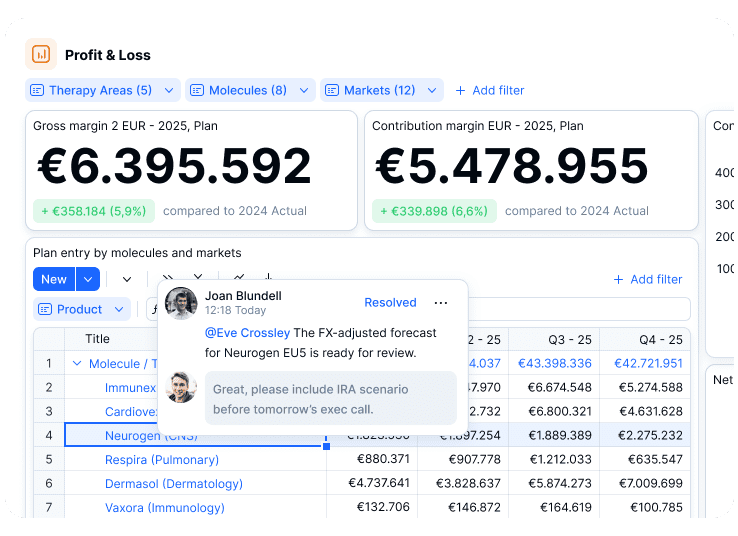
Farseer’s architecture is designed for dynamic planning; it combines the flexibility of spreadsheets with the structure and governance of enterprise systems. Teams can model revenue, expenses, and headcount, run complex allocations, or build P&L and cash-flow forecasts that update instantly. Built-in audit trails, version control, and granular permissions bring order to even the most complex planning processes.
Scenario Planning Depth
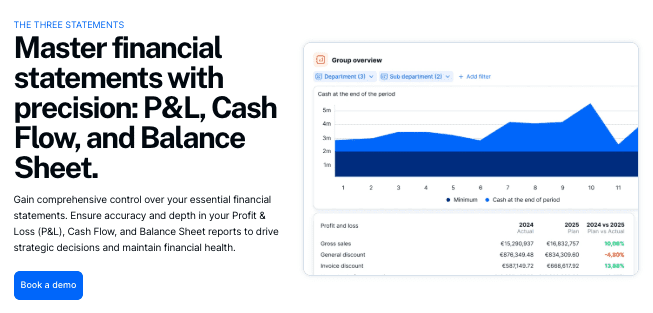
Scenario planning is at the heart of Farseer. Users can model best, base, and worst-case outcomes, simulate the impact of pricing changes, or test assumptions around cost, demand, or investment, all within minutes. Every what-if instantly recalculates through all connected reports and statements, so finance leaders can see how strategic decisions ripple through the P&L, balance sheet, and cash flow in real time.
Beyond traditional forecasting, Farseer enables multi-dimensional planning across entities, products, or markets. Teams can compare multiple scenarios side by side, track assumptions over time, and turn approved versions into actionable budgets with a single click.
AI-Driven Scenario Simulation
Farseer AI takes scenario planning a step further by letting teams run simulations in plain natural language. The Strategist agent simulates pricing changes, cost increases, demand shifts, or operational decisions directly on the financial model, evaluating how multiple drivers interact across revenue, margin, and cash flow before any decision hits the P&L. Alongside it, the Analyst answers complex performance and profitability questions across entities, products, and regions, while the Modeler turns described business logic into structured models and dashboards in minutes. Crucially, every answer is a real calculation executed on your governed model — not a summary pulled from an export — so each simulated scenario remains fully traceable back to its assumptions and drivers, and stands up to audit and board scrutiny.
Ease of Use
Built with finance professionals in mind, Farseer eliminates technical barriers that slow down planning in legacy systems. Its no-code interface feels intuitive and spreadsheet-like, but with built-in automation, data validation, and workflows that remove manual work. Finance users can build or adjust models independently, connect data sources, and automate recurring processes; from imports to consolidations all without waiting on IT or consultants.
Reporting follows IBCS-certified standards, so the scenarios and outcomes teams present in board packs and management reports use a consistent, standardized visual language that stakeholders can interpret at a glance.
Best For
Mid-market and enterprise organizations that have outgrown Excel and need a flexible, governed planning platform that connects finance with every business function. Ideal for companies with multiple entities, complex reporting structures, and frequent re-forecasting needs.
Limitations
Farseer is currently focused primarily on financial planning and analytics; it doesn’t aim to replace CRM or HRM systems but integrates easily with them to create a connected, company-wide planning ecosystem.
Workday Adaptive Planning – robust, but costly and complex
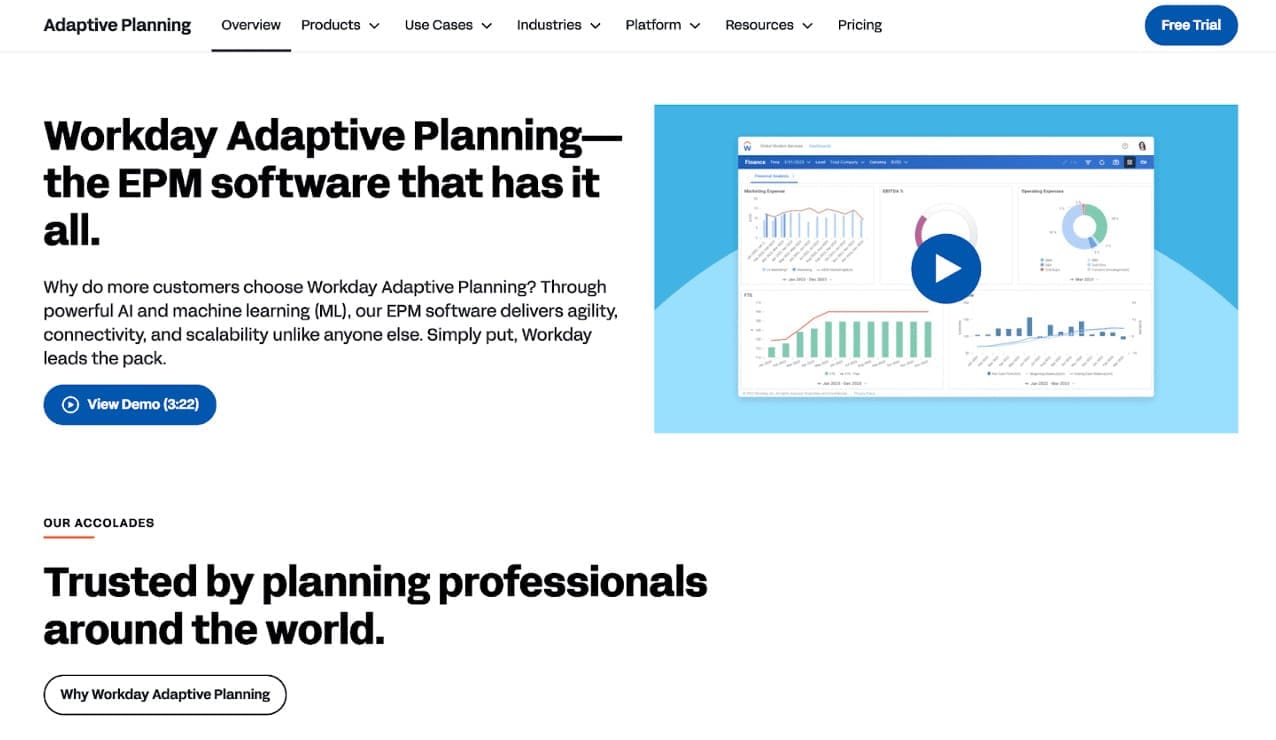
Workday Adaptive Planning is an enterprise FP&A platform connecting finance, HR, and operations in one integrated environment. It’s part of the broader Workday ecosystem, designed for organizations that need connected planning and reporting at scale.
Scenario Planning Depth
Robust for structured, enterprise-wide scenario modeling. Teams can build multiple financial and workforce scenarios and link them to operational drivers. However, customization and real-time flexibility are limited compared to no-code tools.
Ease of Use
Powerful but difficult to configure. Most users rely on consultants or IT for setup, data mapping, and model changes. Once implemented, navigation is clear, but agility suffers – updates or new scenarios often require technical help.
Best For
Large enterprises already running on Workday ERP or HCM looking for top-down, integrated planning.
Limitations
While Workday Adaptive delivers depth, it comes at the cost of flexibility. Implementation is lengthy and expensive, often stretching over several months. Changes to models or reports require technical support, making finance teams dependent on IT and consultants. For organizations seeking rapid scenario iterations or self-service agility, Workday often feels too rigid and slow to adapt.
Read more: 4 Workday Adaptive Planning Competitors Worth Considering in 2026
Synario - micro/macro scenario builder for public and private sectors
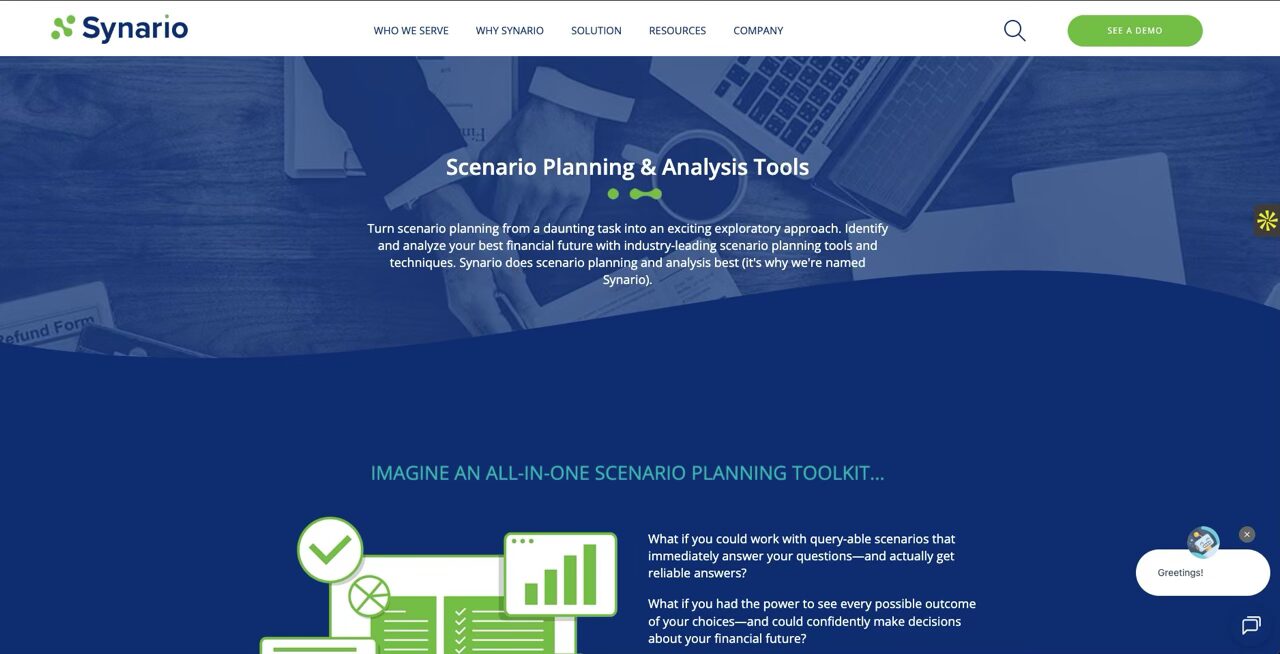
Synario is a financial modeling tool and scenario planning platform focused on flexibility and real-time simulation. Originally developed for higher education and public sector finance, it’s now used across various industries that need long-term forecasting, sensitivity analysis, and capital planning.
Scenario Planning Depth
Synario excels in building and comparing multiple what-if models simultaneously. Its structure supports complex capital and strategic planning, allowing organizations to analyze dozens of variables at once. For institutions dealing with multiple funding sources or capital projects, this level of depth provides strong visibility into long-term impacts.
Ease of Use
Although its scenario builder is intuitive once set up, the modeling interface can feel foreign to finance professionals accustomed to Excel-like environments. It’s powerful but not plug-and-play – mastering it takes time and consistent use. Smaller teams may struggle to adopt it without a dedicated analyst.
Best For
Organizations with complex capital structures or public entities (like universities, utilities, or municipalities) that need to visualize the long-term financial impact of strategic decisions.
Limitations
Synario is not ideal for fast-moving commercial finance teams. The platform’s interface and workflows are built around structured, long-horizon modeling, which makes it less agile for frequent reforecasting or operational planning. Its customization options can overwhelm new users, and integrations with common ERP or CRM systems are limited. In short, while Synario shines in capital modeling, it falls short as a unified FP&A platform for day-to-day scenario planning and collaboration.
Cube - accessible scenario modeling for mid-market finance teams
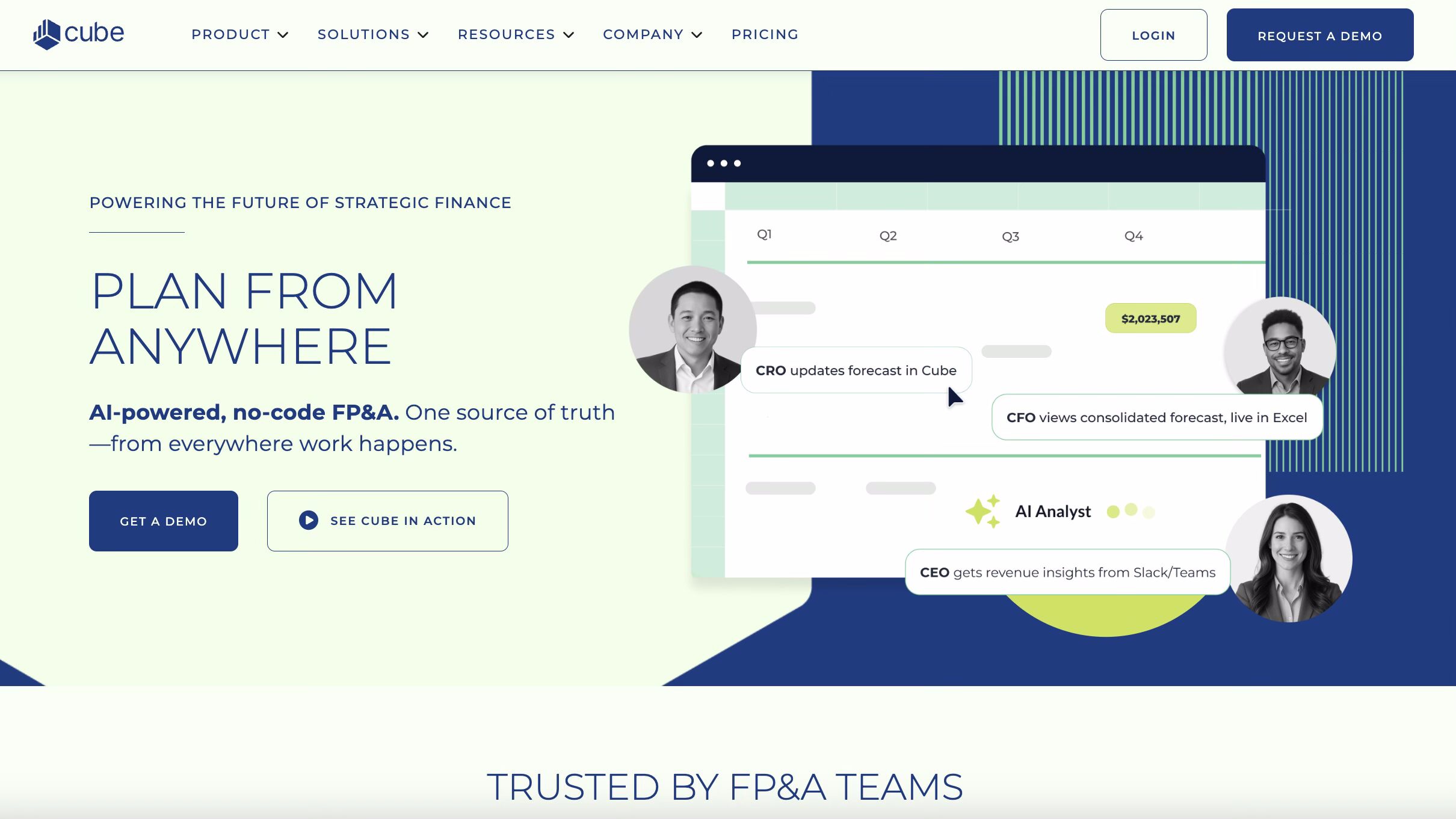
Cube, one of scenario planning software, is a cloud-based FP&A platform designed to bridge the gap between spreadsheets and enterprise planning tools. It keeps Excel and Google Sheets as the core interface, while adding automation, integrations, and governance on top. The idea is to give finance teams a faster, smarter version of the spreadsheet environment they already know.
Scenario Planning Depth
Cube allows finance teams to run multi-scenario forecasts, perform what-if analysis, and sync updates directly with source systems. Its real advantage lies in helping companies automate recurring processes like budget vs. actuals or revenue forecasting, without fully abandoning spreadsheets. However, the scope of its scenario modeling is limited compared to purpose-built FP&A systems, it’s better suited for tactical forecasting than large-scale multi-entity simulation.
Ease of Use
The learning curve is minimal for spreadsheet users; if you know Excel, you can use Cube. Its web interface feels familiar and easy to navigate. Still, deeper modeling or cross-functional collaboration is constrained by the inherent limits of spreadsheets – formulas, links, and data dependencies can still break if not managed carefully.
Best For
Mid-sized companies transitioning from manual spreadsheets that want automation and consistency without losing the comfort of Excel.
Limitations
Cube’s greatest strength – its reliance on spreadsheets – is also its biggest weakness. It improves traditional workflows but doesn’t truly replace them. Finance teams still depend on manual structure and cell logic, which limits scalability and collaboration across departments. Complex scenario modeling or multi-dimensional planning can quickly outgrow its capabilities, making Cube more of a bridge solution than a long-term FP&A backbone.
Vena Solutions - Excel-native scenario planning with automation layer
Vena Solutions is a cloud FP&A platform that builds on the familiarity of Excel while adding structure, automation, and governance. It’s designed for finance teams that want to keep working in spreadsheets but eliminate version chaos and manual consolidation.
Scenario Planning Depth
Vena allows teams to create best-, base-, and worst-case scenarios directly within Excel templates. Its driver-based modeling supports “what-if” analysis across revenue, costs, and workforce plans, while automated workflows ensure version control. However, simulations remain limited to predefined templates; deeper modeling flexibility requires advanced setup and maintenance.
Ease of Use
For finance professionals comfortable with Excel, Vena feels instantly familiar. The interface retains native formulas and shortcuts, reducing the learning curve. That said, customization, template design, and cross-department modeling can become complex without admin or IT support.
Best For
Mid-sized companies that want to modernize spreadsheet-based planning without replacing Excel entirely – ideal for teams transitioning toward structured FP&A.
Limitations
Vena’s reliance on Excel is both its strength and its weakness. While it streamlines workflows and adds governance, it doesn’t deliver the real-time collaboration or scalability of fully integrated FP&A platforms. Large-scale models can still suffer from performance issues, and creating advanced scenarios often requires consultants. It’s a strong upgrade from manual spreadsheets but not a full replacement for enterprise-grade scenario planning.
How to Choose the Right Platform
Choosing the best scenario planning software isn’t about the longest feature list; it’s about finding the right fit for your team’s maturity, workflow, and goals.
- Match tool to business size & data maturity: A global enterprise and a 50-person finance team don’t need the same level of structure. Look for a solution that matches where you are today but can evolve with your data sophistication.
- Prioritize collaboration & integration: Scenario planning touches every department. The right platform connects seamlessly with your ERP, CRM, and HR systems so everyone plans with the same data, in real time.
- Evaluate scalability & automation: As your models grow, so does the risk of error. Choose a tool that automates imports, updates, and consolidations and can handle multiple entities or business units without breaking.
- Consider total cost of ownership: Implementation, maintenance, and training often cost more than the software itself. Balance the initial investment against the long-term value of time saved, visibility gained, and decisions improved.
Real-Life Case: Pharma Forecast Scenarios in Farseer
When JGL Pharma, a leading Croatian pharmaceutical company operating across 60+ markets, realized its Excel-driven planning couldn’t keep up with shifting market and regulatory conditions, the finance team turned to Farseer.
Challenge
Fragmented Excel models made it difficult to simulate multiple forecasts, manage market-specific P&Ls, and react fast to price and currency fluctuations.
Solution
With Farseer, JGL centralized all financial and operational data into a single model. Teams can now:
- Model best, base, and worst-case revenue scenarios instantly
- Link demand, supply, and P&L in one unified planning environment
- Run real-time sensitivity analyses for pricing, FX, or regulatory changes
- Automate consolidation and eliminate version chaos across 60+ markets
Impact
Scenario modeling that once took weeks now happens in days. Finance no longer spends time preparing data, they analyze it. Leadership gets instant visibility into the impact of decisions across all entities.
Conclusion
Excel can’t keep up with real-time uncertainty, not when every assumption, price change, or regulation can reshape your forecast overnight.
Modern scenario planning software gives finance teams the agility to test ideas, stress-test assumptions, and see the impact instantly. It turns planning from a guessing game into a continuous, data-driven process.
If you’re still building scenarios manually, now’s the time to change that.
See how finance teams like JGL run best, base, and worst-case forecasts in real time – all in one shared model.
Book a demo and experience scenario planning without spreadsheets.
FAQ
What is scenario planning software?
Scenario planning software helps finance teams model multiple “what-if” futures — testing how different assumptions, prices, or events would impact financial results. It’s how companies prepare for uncertainty instead of reacting to it.
How is it different from budgeting software?
Budgeting tools focus on setting a single plan for the year. Scenario planning software goes further — it lets you compare alternative outcomes side by side and adjust instantly as things change.
Who should use scenario planning software?
Any organization that needs to make data-driven decisions under uncertainty — from finance and operations to supply chain and sales. It’s especially valuable for industries like pharma, manufacturing, and retail, where variables shift quickly.
Can small businesses benefit from it?
Yes, even smaller teams can use scenario planning to stress-test assumptions and manage risk. The difference is in choosing a tool that matches your scale and data maturity.
How do I choose the right tool for my team?
Start from your pain points: version chaos, slow updates, or lack of visibility. Look for a platform that centralizes data, automates workflows, and lets you model scenarios without relying on IT.