
It usually starts innocently – one spreadsheet for budgeting, another for forecasting, a few more for reporting. Then your business grows, and suddenly the finance team is stuck in a maze of files, updates, and conflicting versions.
That’s when most organizations realize they need a better way.
Corporate performance management software brings order to the chaos by combining planning, forecasting, analytics, and performance tracking in a single platform.
Read FP&A Software for Modern Finance Teams: Compare the Best Tools in 2026
In this guide, we’ll walk through some of the best CPM tools available in 2026, what makes them stand out, and how to figure out which one fits your organization’s needs.
Key Features to Look for in CPM Software
When evaluating tools, look for features that support scalability, collaboration, and data accuracy:
- Integrated budgeting, forecasting and planning – tools should allow teams to plan across departments, automate workflows, and collaborate in real time.
- Scenario planning and what-if modeling – essential for evaluating multiple business outcomes, especially in volatile markets.
- Automated financial consolidation – reduces close cycles and increases reporting accuracy for multi-entity or multi-currency organizations.
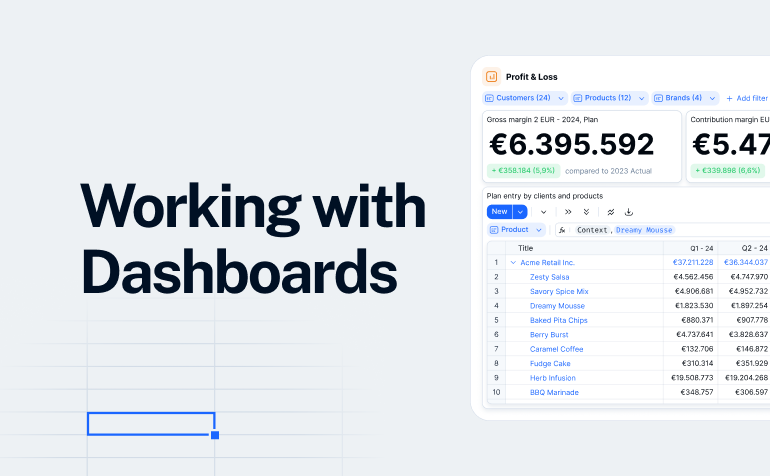
- Dashboards and visual analytics – real-time insights into KPIs, variances, contribution margins, and operational performance.
- Workflow, version control & audit trails – ensures data integrity and simplifies cross-team collaboration.
- Integrations with ERP, CRM, HRIS & data warehouses – a CPM tool is only as strong as its data ecosystem.
- Ease of use and modelling flexibility – finance teams should be able to maintain models without heavy IT dependence.
How to evaluate CPM vendors
Before choosing a platform, consider:
- Implementation speed – how long to get live?
- Time-to-value – when does ROI kick in?
- Scalability – does it grow with your organization?
- Customization vs. standardization – how flexible are the models?
- Total cost of ownership – licenses, implementation, support
- User experience – how intuitive is the UI for finance and non-finance teams?
- Customer success – availability of training, onboarding, support
These criteria help you align tools with your organization’s structure, size, and planning needs.
6 Best Corporate Performance Management Software Options in 2026
Workday Adaptive Planning
Workday Adaptive Planning is one of the most widely adopted cloud-based CPM tools, known for bringing structure, consistency, and scalability to financial and workforce planning without overwhelming users with complexity.
Core features:
- Unified financial, operational, and workforce planning: budgeting, forecasting, headcount & cost planning, capex planning, and more.
- Multidimensional modelling and scenario/“what-if” planning: you can analyze across business units, timelines, and variables (e.g. expense, revenue, headcount).
- Real-time collaboration, dashboards and reporting: which helps teams work together and track KPIs or forecasts as a group.

Integrations:
ERP/GL systems, CRM/HCM systems, cloud data warehouses and external data sources
How Workday Adaptive compares to Farseer
Workday is powerful, but it often comes with enterprise-level complexity and longer implementation timelines.
Farseer offers a lighter, faster, and more flexible alternative, especially for companies that want intuitive modelling without months of onboarding. Its spreadsheet-like logic and driver-based planning feel familiar to finance users, helping teams adopt the platform much more quickly.
Read 4 Workday Adaptive Planning Competitors Worth Considering in 2026
Farseer
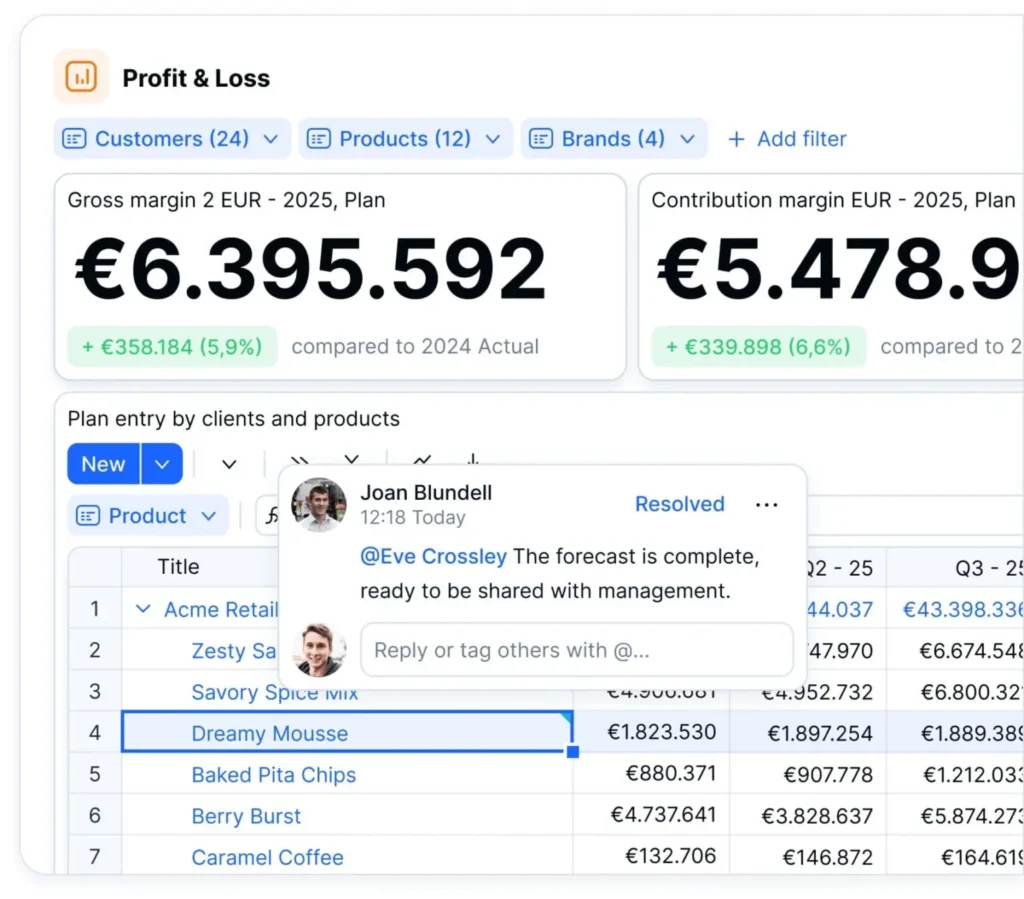
Farseer is a modern CPM platform built for companies that have outgrown spreadsheets but don’t want the complexity of heavyweight enterprise systems. It brings the freedom and flexibility of Excel into a controlled, scalable environment where data, models, and workflows live in one place.
With driver-based modelling at its core, Farseer lets finance teams build accurate, interconnected plans without coding or IT support. The interface is clean and intuitive, making it easy for budget owners and department leaders to contribute, collaborate, and update forecasts in real time.
What makes Farseer stand out for CPM needs:
- Spreadsheet-like flexibility, without the chaos
Farseer keeps the modelling freedom finance teams love, but adds structure, governance, and a single source of truth, eliminating version issues and manual errors. - End-to-end planning in one place
Budgeting, forecasting, scenario modelling, consolidation, and reporting all live in one platform, helping teams move away from scattered files and disconnected data. - Real-time collaboration & insights
Multiple users can plan simultaneously with live updates, dashboards, and automated reporting. This reduces budgeting cycles and speeds up decision-making.
- Fast implementation & lower overhead
Compared to legacy CPM systems, Farseer is lighter, faster to deploy, and easier to maintain, making it ideal for scaling companies. - Flexible for different industries
Whether it’s retail, manufacturing, SaaS, or services, Farseer adapts to unique business structures and planning workflows without heavy custom development.
Integrations:
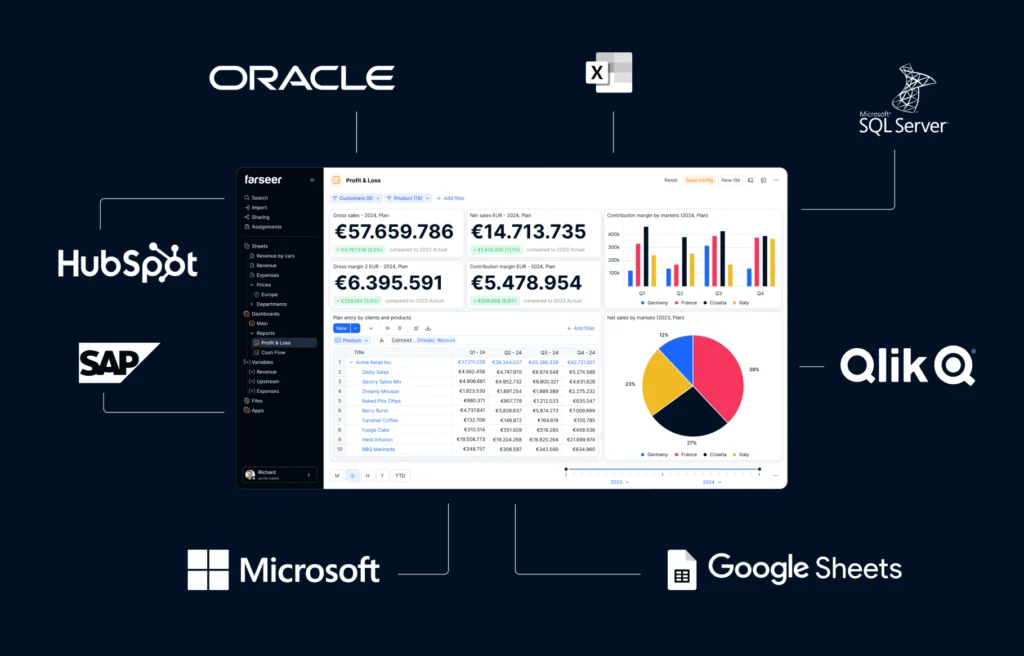
ERP systems, accounting software, CRM platforms, HR / Payroll / HRIS systems, Data warehouses / external data sources, business-intelligence & analytics tools / data-visualization tools, office tools / Spreadsheets & Excel add-ins / Microsoft 365 / Google Sheets, custom integrations and API connectors
Anaplan
Anaplan is a powerful enterprise planning platform built for organizations with complex models, multiple departments, and a need for highly flexible, cross-functional planning at scale.
Core features:
- Highly flexible and scalable planning engine, built on an in-memory database (“Hyperblock”) that allows complex business-wide modelling spanning finance, sales, supply chain, HR, etc.
- Budgeting, forecasting, scenario and what-if planning, financial planning & analysis, cash flow management, and opportunity/ sales planning workflows, so you can model multiple business dimensions and scenarios.

Integrations:
ERP/GL systems, sales data, supply chain data, HR/people data, APIs and data import workflows
How Anaplan compares to Farseer
Anaplan is extremely flexible, but its sophistication often requires dedicated model builders, higher cost, and more ongoing maintenance.
Farseer delivers similar modelling freedom but with a far simpler user experience, making complex planning accessible to finance teams without specialized expertise. It’s also significantly easier to implement and maintain.
Read Anaplan Competitors – The 6 Best Alternatives for Enterprise FP&A
Vena Solutions
Vena blends the familiarity of Excel with the control and structure of a centralized CPM platform, making it a natural fit for finance teams who want to modernize without giving up the Excel experience.
Core features:
- Budgeting, forecasting, and reporting – covering top-down, bottom-up, driver-based, or zero-based budgets.
- Consolidation, financial close support, variance analysis, and integrated financial statements for multi-entity or multi-unit organizations.
- Scenario modelling and “what-if” analyses, rolling forecasts, and operational / sales / workforce planning as needed, all within a centralized database.
- Familiar Excel-native interface, which reduces the learning curve for finance teams used to spreadsheets, while layering on control, workflows and collaboration.

Integrations:
ERP and accounting systems, pulls data from SQL databases, data warehouses, custom systems, or flat-file sources
How Vena Solutions compares to Farseer
Vena’s Excel-native approach is great for comfort, but it can inherit some of Excel’s limitations, especially around performance, collaboration, and maintaining large models.
Farseer preserves the modelling freedom users love in Excel but eliminates the chaos, offering real-time collaboration, single-source-of-truth data, and structured workflows that Excel-based solutions struggle to match.
Read 7 Vena Alternatives and Competitors to Take a Look at in 2026
Prophix
Prophix offers a structured, all-in-one CPM environment designed to standardize budgeting, forecasting, and consolidation processes across growing organizations.
Core features:
- Comprehensive budgeting, forecasting, and financial planning capabilities, helping companies standardize planning across units or departments.
- Financial consolidation and reporting: supports multi-entity, possibly multi-currency consolidation (depending on deployment), simplifying the close process for organizations with multiple subsidiaries / units.
- Scenario planning & forecasting, as well as integration of operational and financial planning streams, enabling a holistic view of business performance beyond just P&L.

Integrations:
General ledger / ERP systems
How Prophix compares to Farseer
Prophix is strong for organizations needing structured consolidation and standardized planning workflows, but it can feel rigid and less intuitive when you need dynamic modelling or fast scenario planning.
Farseer is more flexible and modelling-friendly, allowing teams to adjust assumptions, build new scenarios, and collaborate rapidly without heavy configuration.
Planful
Planful delivers a streamlined, user-friendly planning experience aimed at mid-market teams that need reliable budgeting, forecasting, and reporting without the overhead of large enterprise systems.
Core features:
- Balanced FP&A / CPM solution – covering budgeting, forecasting, financial planning, and reporting, with a focus on usability and streamlined workflows.
- Enables regular budgeting and forecasting cycles, financial consolidation, and operational planning integration, useful for companies with recurring planning needs.
More accessible and lighter-weight compared with top-end enterprise CPM suites; suitable for growing or mid-market organizations that want to move beyond spreadsheets without over-engineering.

Integrations
ERP/GL systems, BI workflows
How Planful compares to Farseer
Planful offers a polished mid-market planning experience, but its workflows can still feel traditional, and modelling flexibility tends to be more limited compared to modern, driver-based tools.
Farseer gives finance teams more control over their models, enabling custom structures, rapid changes, and deeper operational planning, without relying on consultants or IT.
Read 6 Planful Competitors Finance Teams Should Consider in 2026
Conclusion
Choosing the right CPM software depends on your company’s size, complexity, and planning needs. Some tools offer enterprise-scale structure, others provide Excel familiarity, and some focus on advanced modelling. But across the board, modern finance teams need real-time data, faster forecasting cycles, and tools that make collaboration easier.
Farseer often stands out because it delivers the flexibility of spreadsheets and the structure of a CPM platform, without the heavy implementation or steep learning curve of larger enterprise tools. Still, the best tool is the one that aligns with your workflows, tech stack, and long-term goals.
With the right CPM system in place, finance becomes more strategic, more agile, and better equipped to support the decisions that drive growth.
No more waiting, no more extensive manual work, just fast, accurate, and flexible planning.
“We used to spend a lot of time just preparing data before we could even start making decisions. Now, we are on the way to have everything at our fingertips, and when full implementation finishes, we will be ready to act immediately.“

Corporate Controlling Director @ JGL Pharma
Matija Posavec
Farseer’s driver-based planning gave us a reliable structure and streamlined our entire process.
“With Farseer, we’re seeing results we can act on. Reporting is 30% faster, planning cycles are shorter, and we now have real-time insights at our fingertips. It’s been transformative for how we operate.”

CFO @ Altium
Ivan Jurković
Farseer - a tool that finally turned our dreams into reality.
Farseer is so intuitively easy to use that whoever logged in – continued to use it. So far, we had a lot of challenges with other planning tools that were quite heavy and complicated to use. Farseer accelerated the planning process significantly by offering planners the flexibility to choose the planning level – with automatic data drill-downs to the lowest levels needed for different reporting structures.
Farseer is a refreshment in terms of the ease of planning and reporting implementation.

Director of Strategic Projects in Finance @ T-Mobile
Mirna Sambolić
We really enjoyed working with the Farseer team. They were reliable, supportive, and helpful throughout the entire process.
“Farseer has significantly enhanced the speed of our processes, as well as the quality, level of detail, and reliability of the information we prepare and analyze, bringing notable improvements to our controlling operations.”

Head of Financial Controlling @ EOS Matrix Croatia
Sonja Grgić Barbir
Demand forecasting is now much smoother and uncomplicated.
Farseer helped us switch from large and heavy operating Excels to only a few clicks for making the demand forecast process. Lelo’s demand forecasting is now much smoother and uncomplicated.
We love how Farseer’s algorithms automatically spread forecast numbers across multiple organizations, distribution channels, and product groups.

Demand Planner @ Lelo
Saša Senker
Moving to Farseer from Excel was a great move.
Farseer’s centralized system made us more efficient, helping us create detailed sales plans and check profitability reports faster.
With Farseer, we’re meeting our financial goals quicker and more accurately, and we recommend it to everyone.
Head of Controlling @ Violeta
Josipa Zadro
A tool that replaced Excel for us.
I reviewed so many tools before we selected Farseer and Farseer is absolutely the best. It is very user-friendly, it is fast and it is very helpful when planning. It fully replaced Excel in our FP&A function including company-wide reporting. The tool can also integrate well with other tools we are using as well as with accounting software directly.
Also, the support is very good and we can get things resolved very timely by their customer support representative.

CFO @ Oak’s Lab
Martin Klikar
Moving from Excel to Farseer made all the difference.
We now plan and forecast entirely in Farseer — faster, simpler, and more precise than ever.
Rolling forecasts for sales and production are updated every month, and thanks to the platform’s intuitive design, it’s often quicker to check data in Farseer than in BI.

Head of Corporate Controlling @ Mlinar
Viktor Hajnal
Master data - finally done right.
It’s incredible to see ZG Holding finally achieve clean Master Data with an application that makes it seamless. This solution is a game-changer for our organization – outstanding from both a user and technical perspective.

Head of Functional Business Group @ ZG holding
Josip Ivančić
FP&A Tool Fit Quiz
Question 1
How complex is your organizational structure?
Question 2
How quickly do you need to implement an FP&A solution?
Question 3
What is your team’s technical profile?
Question 4
What is your primary planning priority?
Question 5
What is your expected FP&A budget?